IN ONE HEART
A digital home for retreats, workshops, and personal connection.
Visit the live website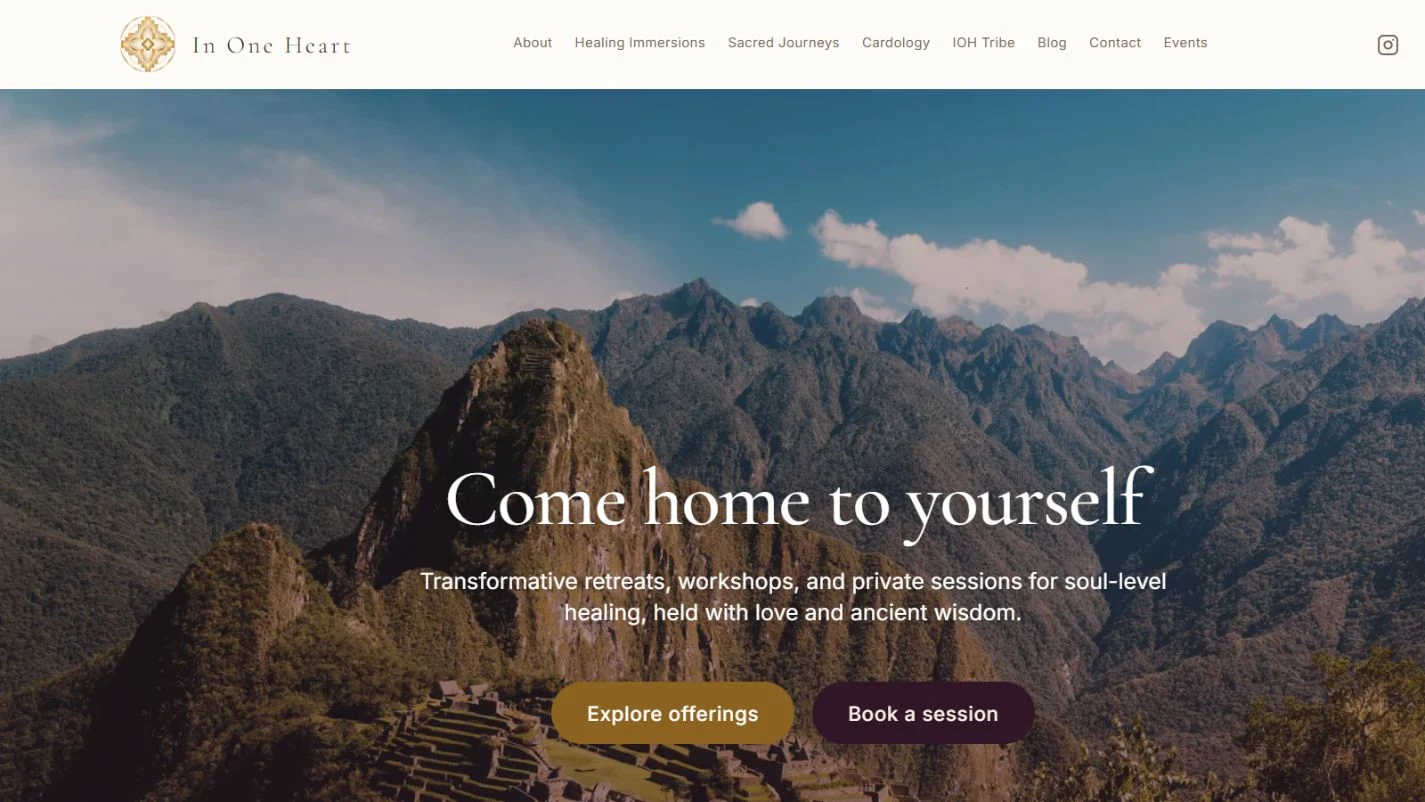
A considered invitation to explore.
In One Heart brings retreats, workshops, and private sessions together in one public website. Visitors can discover the different offerings, explore their details, and find a path to booking or making contact.
My contribution
My work spans the public website and its administration experience: connecting the presentation of retreats and sessions with the tools used to manage content, scheduling, applications, and orders.
DESIGNED TO
BE EXPLORED.
A closer look at the paths
available to visitors.
Discover the offerings
A shared starting point for retreats, workshops, and individual sessions.
Explore offerings on IN ONE HEART (opens in a new tab)Explore in more depth
Dedicated pages let visitors read about the experiences and their upcoming dates.
View retreats on IN ONE HEART (opens in a new tab)Find a personal connection
Session and contact entry points give visitors a way to take the next step.
View sessions on IN ONE HEART (opens in a new tab)A high-level view of the public entry points.
- 01
Discover
Get a sense of the offering and its context.
- 02
Explore
Read the details of a retreat, workshop, or session.
- 03
Take the next step
Follow a booking or contact entry point.
MORE THAN
THE INTERFACE.
Behind the invitation is an administration experience for managing the offering and the activity around it. Content, session availability, applications, orders, and audience communication each have a dedicated place.
Offering management
Configure retreats, workshops, and sessions with descriptions, pricing, capacity, deposits, images, and homepage visibility.
Session scheduling
Maintain weekly availability and blocked dates, alongside upcoming bookings and session intakes.
Application review
Review submissions by offering, with application status and session-booking information visible in one list.
Order visibility
Review purchased items, payment information, and order status, supported by a dashboard overview of revenue and activity.
Content administration
Dedicated sections manage website pages, blog posts, FAQs, testimonials, products, and events.
Audience communication
Compose newsletter broadcasts with a subject, message, attachment option, and email preview; manage inquiries through a separate workspace.
From an offering to ongoing administration
- 01
Configure the experience
The team maintains offering details, pricing, visibility, and session availability.
- 02
Present it publicly
Visitors explore the website and its booking, application, and contact entry points.
- 03
Review the activity
Administrators use dedicated views for applications, bookings, orders, and inquiries.
- 04
Maintain the relationship
Website updates and newsletter tools support ongoing communication.
A conceptual overview of the available workspaces. Private records and internal screens are omitted.