MAMAWAY STUDIO
A welcoming digital space for movement, wellness, and community.
Visit the live website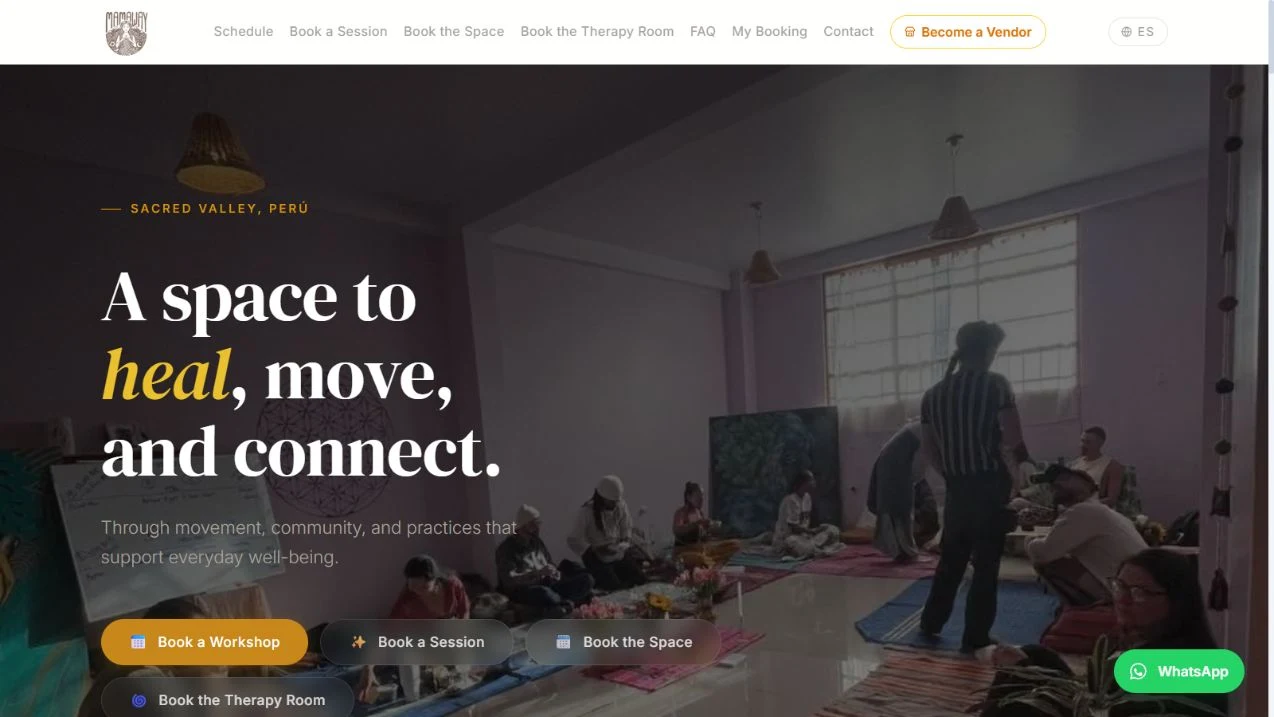
One space. Several ways to connect.
Mamaway Studio brings several ways to use a shared space into one public experience. Visitors can explore workshops, individual sessions, studio reservations, and therapy-room bookings through dedicated entry points.
My contribution
My work includes the public studio website and a broader operations dashboard. The internal experience brings studio administration together with tools for inventory, sales, finance, customer records, and team coordination.
DESIGNED TO
BE EXPLORED.
A closer look at the paths
available to visitors.
Workshops & events
A schedule provides a place to discover group sessions and community events.
View the schedule on MAMAWAY STUDIO (opens in a new tab)Individual sessions
A dedicated path helps visitors explore massage and bodywork sessions.
Explore sessions on MAMAWAY STUDIO (opens in a new tab)Space reservations
Separate entry points distinguish studio hire from therapy-room reservations.
Explore the space on MAMAWAY STUDIO (opens in a new tab)Booking information
FAQ, contact, and My Booking links support visitors looking for practical information.
Read the FAQ on MAMAWAY STUDIO (opens in a new tab)A high-level view of the public entry points.
- 01
Choose an experience
Find a workshop, session, or space.
- 02
Explore the options
Follow the relevant schedule or booking page.
- 03
Continue with confidence
Access booking information, FAQs, or contact details.
MORE THAN
THE INTERFACE.
The studio website is one part of a wider operations system. Behind it, the team has dedicated workspaces for studio content, stock, sales, finance, customer relationships, and day-to-day coordination.
Studio content & coordination
Manage page content, therapy services, events, calendars, availability, space inquiries, and contact messages through the Studio CMS.
Inventory management
Maintain a product catalog, receive stock, review stock levels and recent movements, and access purchase orders and locations.
Sales workflows
Work with sales orders, allocations, and returns, with customer, seller, payment method, and status information available in the order view.
Financial administration
Dedicated views cover invoices, vendor payouts, supplier balances, reconciliation flags, expenses, and consignment. The dashboard also presents monthly financial summaries.
Customer & team coordination
CRM and a task pyramid sit alongside team-member management and user invitations, providing distinct spaces for relationships, priorities, and access administration.
Operational overview
A shared dashboard brings together sales activity, open orders, low-stock indicators, priority tasks, and studio bookings and inquiries. English/Spanish and USD/PEN controls are available in the interface.
A workspace for the everyday operation
- 01
Maintain the offering
Studio content and inventory tools provide places to manage services, events, and products.
- 02
Coordinate the activity
Separate workspaces support studio inquiries, bookings, sales orders, allocations, and returns.
- 03
Review the finances
Finance views organize invoices, payouts, balances, expenses, and reconciliation flags.
- 04
Plan the next action
Dashboard indicators, customer records, and the task pyramid support the team’s daily review.
A conceptual overview of the available workspaces. Private records and internal screens are omitted.